Requirements for Smart Home Control
What you need for setup
- →Wireless router with a free LAN port or 2.4 GHz WiFi for EGATE-PRO Gateway
- →Smartphone with iOS or Android for the Engo Smart App (free)
- →Set up the EGATE-PRO Gateway a maximum of 1 m from the router (external antenna built-in)
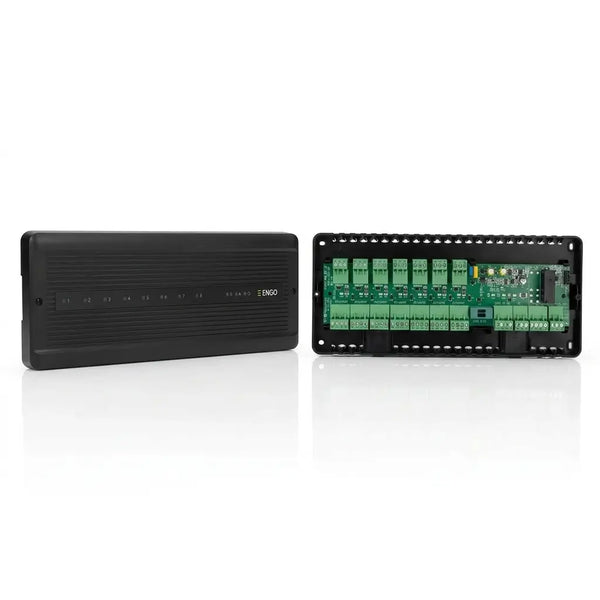
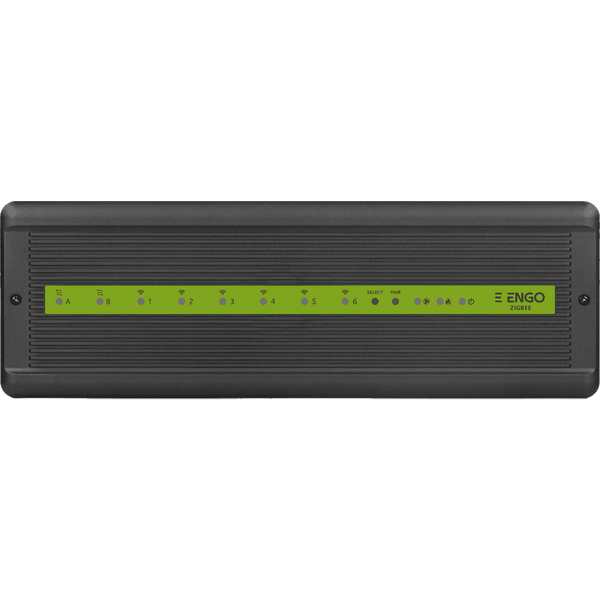
- →Number of rooms/zones to be planned: ECB62-ZB controls up to 8 zones via one control box
- →230V socket available for EGATE-PRO and ECB62-ZB control box
Advantages of ZigBee Mesh at a glance
ZigBee 3.0 and WLAN differ fundamentally in their architecture — and this has a direct impact on how reliably and energy-efficiently your underfloor heating runs.
- Offline Security: ZigBee time programs continue to run locally in the EGATE-PRO Gateway — independent of cloud availability, Tuya maintenance, or internet outages.
- Mesh instead of Direct Connection: Each EONE thermostat acts as a ZigBee router and relays signals. No radio dead zones due to a concrete wall.
- TPI Precision: EONE achieves a control accuracy of ±0.1 °C — critical for heat pumps, where every tenth of a degree affects the COP.
- Up to 50 devices per EGATE-PRO: Thermostats, control boxes, radiator valves (E25) and window contacts in one ecosystem.
- Locally accessible: Within the home network, the ENGO app remains functional even in the event of an internet outage — WAN is only required for remote access.
ZigBee 3.0 vs. WLAN — The Direct Comparison
| Feature | ZigBee EONE | WiFi E55 |
|---|---|---|
| Heating during power outage | ✓ Yes | ✓ Yes |
| Time programs offline (no internet) |
✓ Yes locally in EGATE-PRO |
✓ Yes locally in the thermostat |
| App control during internet outage |
✓ Yes in the home network |
✗ No |
| Network Architecture | Mesh (self-healing) | Direct connection to router |
| Max. Range | 50m+ via Mesh | ~30 m (WLAN limit) |
| Cloud Dependence |
○ Limited Optional |
○ Tuya Cloud |
| Matter-compatible (2026+) |
○ Limited ZigBee → Thread Bridge |
✗ No |
| Home Assistant (Zigbee2MQTT) | ✓ Yes |
○ Limited Tuya Local |
| Gateway required | EGATE-PRO (€62, one-time) | ✗ No |
ENGO Smart App — Functions at a Glance
The Engo Smart App (Tuya-based, iOS & Android) offers far more than a simple time program:
- Room-specific weekly programs: 6 time slots per day, individually adjustable for each thermostat.
- Geofencing: Automatic lowering when leaving the house, automatic pre-heating upon return — adjustable via GPS radius (approx. 100m–5km).
- Window-open detection: Detects a rapid temperature drop of ≥ 2 °C in 15 minutes and temporarily switches off the heating circuit. Saves up to 5% energy per ventilation.
- Holiday mode: Frost protection temperature (e.g. 12 °C) for defined periods — without a cloud account, frost protection also continues to run locally.
- Statistics & Energy Consumption: Historical temperature curves and estimated operating hours of the actuators.
- Multi-user: Up to 10 family members via app sharing without password transfer.
Matter and the Future of UFH Control
- Matter 1.0+ is the new cross-manufacturer standard (Apple, Google, Amazon, Samsung).
- ENGO ZigBee devices can be integrated into Matter ecosystems via a Matter bridge (e.g., Apple HomePod mini, Amazon Echo 4th Gen.).
- Matter 1.5 (2026) introduces energy clusters — UFH can then react to dynamic electricity prices (EPEX Spot) and pre-heat when PV electricity is cheap.
- No device change necessary — your current ZigBee hardware bridges the standard change.
- →Mesh Network: Every 230V device (thermostat, switch, socket) is simultaneously a repeater and automatically extends the range
- →Offline operation: Time programs are stored locally in the EGATE-PRO — in case of internet failure, the system continues heating without interruption
- →Power Consumption: ZigBee uses up to 10x less power than constantly polling Wi-Fi thermostats
- →Open standard: IEEE 802.15.4 / ZigBee 3.0 — compatible with lamps, switches, and sensors from other manufacturers (Hue, Homematic IP, Tuya)
- →Flexible Retrofit: No Demolition Needed — ZigBee thermostats replace existing wall thermostats without new wiring
Set up ZigBee System: 5 Steps
Step 1: Connect the EGATE-PRO Gateway: Connect the EGATE-PRO Gateway to the router via LAN cable or Wi-Fi — a maximum distance of 1 m is recommended. The device has an external antenna for better ZigBee range. Apply power using the supplied power adapter (230V). The LED lights up green when connected to the mctherm server. The gateway stores all time programs locally: if the internet fails, the heating control continues without interruption.
Step 2: Install the Engo Smart App & Create an Account: Download the free Engo Smart App from the App Store (iOS) or Google Play (Android). Create an account using your email address. In the app, add the EGATE-PRO Gateway — scan the QR code on the bottom of the gateway or manually enter the device ID. The gateway will appear in the app as a connected home network.
Step 3: Pair ZigBee thermostats: Add any EONE or E25 ZigBee thermostat in the app via 'Add device'. To do this, activate pairing mode on the thermostat (hold button for 3 seconds, LED flashes). The gateway automatically detects the new device via the ZigBee mesh. Rename the device (e.g. 'Living room', 'Bathroom') and assign it to the respective room. All 230V devices in the mesh also serve as repeaters — the more devices, the more stable the network.
Step 4: Configure the ECB62-ZB Control Unit: Also connect the 8-zone control box ECB62-ZB via ZigBee. Assign the appropriate thermostat to each control channel (zone 1-8) - this way, each thermostat controls precisely its heating circuit via the actuator on the manifold. An individual weekly program can be stored for each zone in the app. With the ECB62-ZB, all weekly programs are stored locally: if the internet router fails, the system continues to heat according to the saved schedule.
Step 5: Connect Alexa or Google Home: Activate the 'Engo Smart' skill in Alexa or set up the Engo integration in the Google Home app. After linking the accounts, all thermostats will appear as devices in Alexa or Google Home. Voice commands like 'Alexa, set the living room temperature to 21 degrees' work directly. A separate bridge adapter is currently required for Apple HomeKit.
ZigBee 3.0 vs. WLAN — Direct Comparison
| Feature | Value |
|---|---|
| ZigBee 3.0 — Frequency | 2.4 GHz (IEEE 802.15.4) |
| Wi-Fi — Frequency | 2.4 GHz (IEEE 802.11) |
| ZigBee — Power Consumption | very low (mesh repeater) |
| Wi-Fi — Power Consumption | high (persistent Wi-Fi polling) |
| ZigBee — Offline Operation | Yes — programs locally in the Gateway |
| Wi-Fi — Offline Mode | No — App access dependent on the cloud |
| ZigBee — Range per hop | up to 10–15 m (mesh expandable as desired) |
| Wi-Fi Range | Router-dependent, no Mesh |
| Zigbee — Alexa & Google Home | Yes (via EGATE-PRO) |
| Wi-Fi — Alexa & Google Home | Yes (direct, Tuya Cloud) |
| ZigBee — max. devices per gateway | 100+ devices via Mesh |
| EGATE-PRO Gateway — Price | €61.81 |
| Complete ZigBee 4-Zone System | approx. €320–450 |